Validate URL Tutorial
To get started, visit app.namedgraph.com. Then, follow these steps to easily fetch a remote web page and discover malformed syntax, bad data, and other recommendations. This method requires you to be signed in and have a Verified Domain for the URL being retrieved.
Step 1
Click the URL button, and fill in the URL field with a URL from your verified domain. Click the Fetch button.
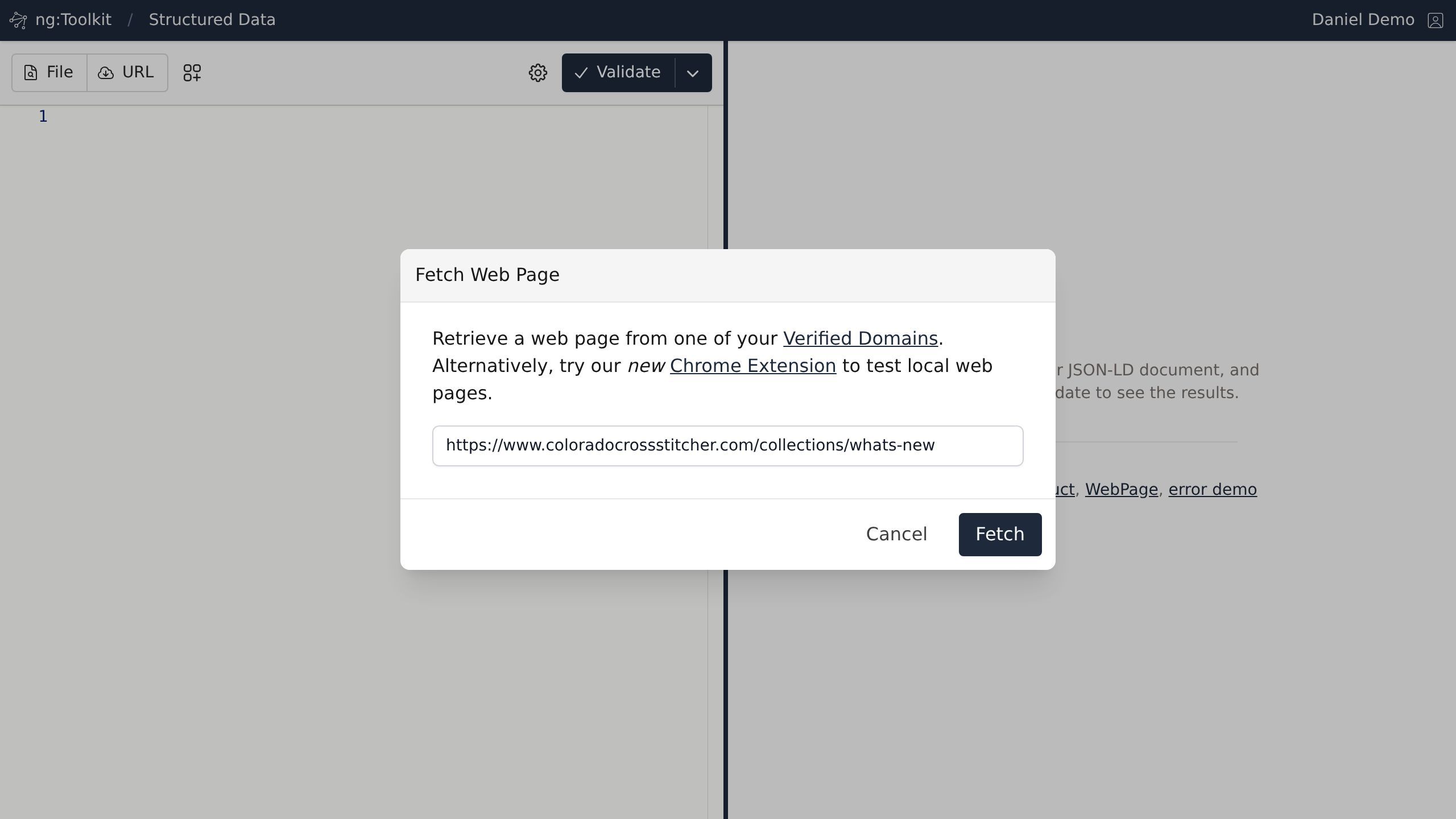
Screenshot with the Fetch button
Step 2
Once processed, you can review all resources found in the document. Any processing or validation messages will appear next to their associated element.
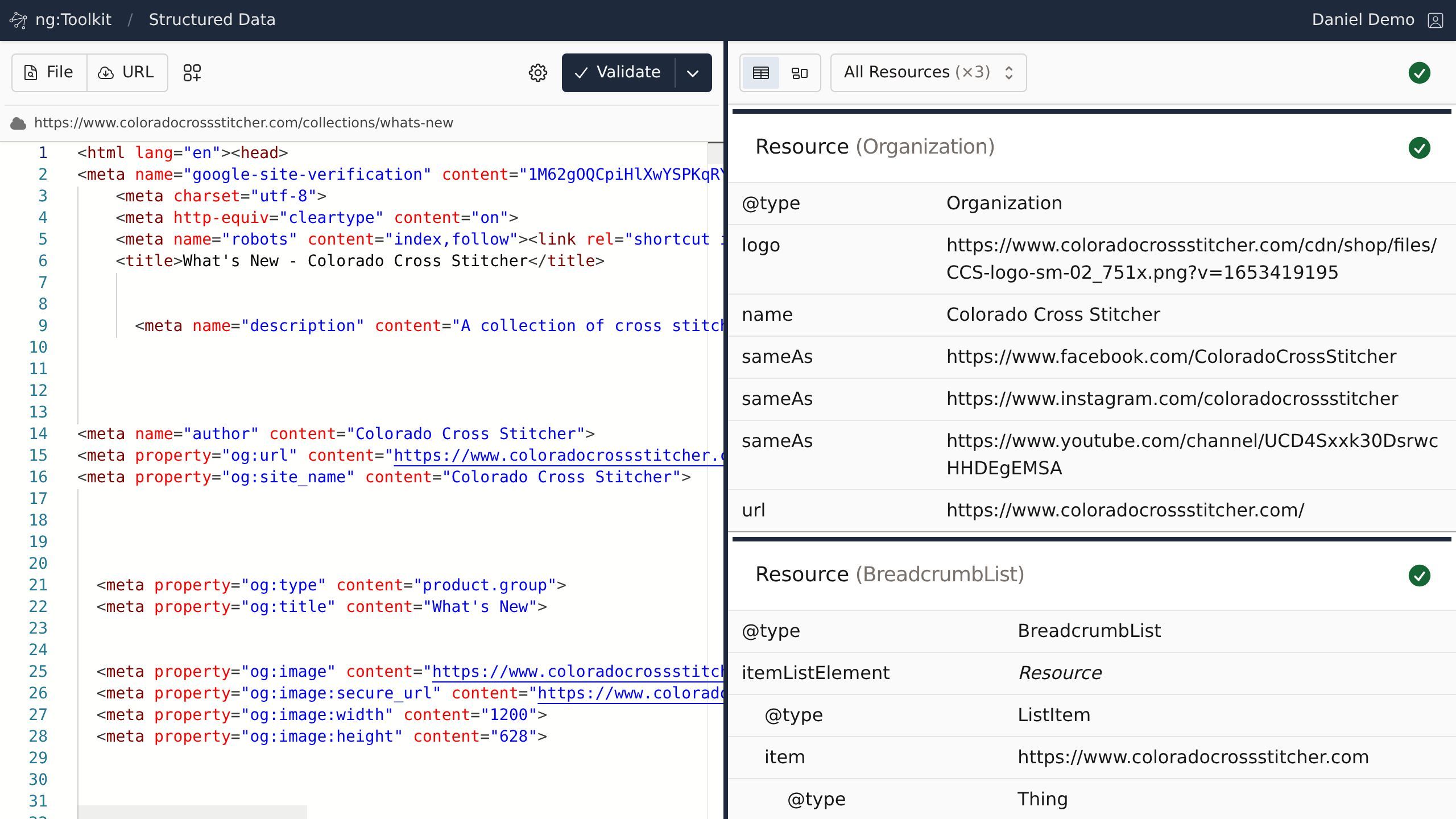
Screenshot of the Structured Data | Named Graph page.
Step 3
Click any property row.
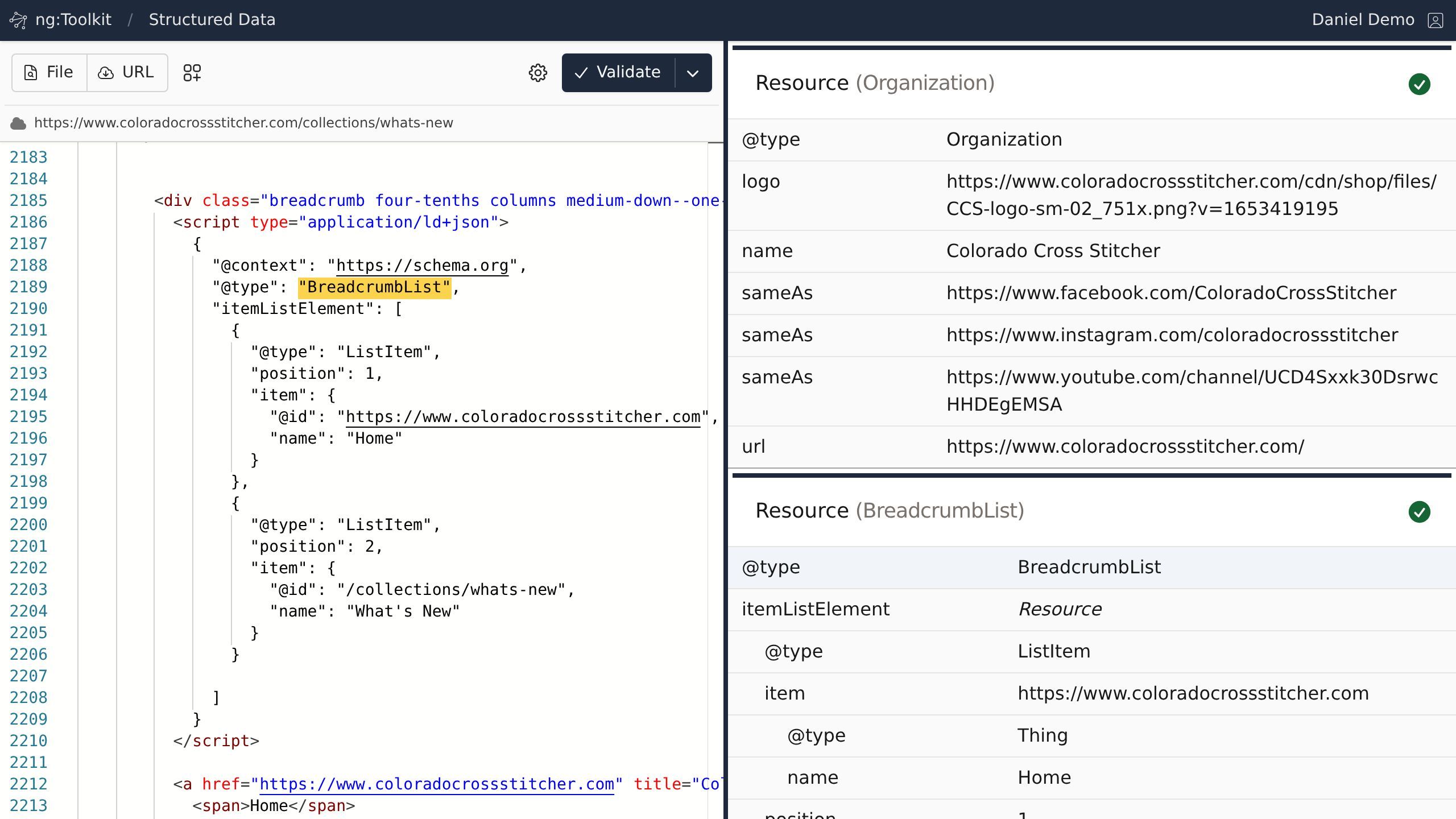
Screenshot with any property row